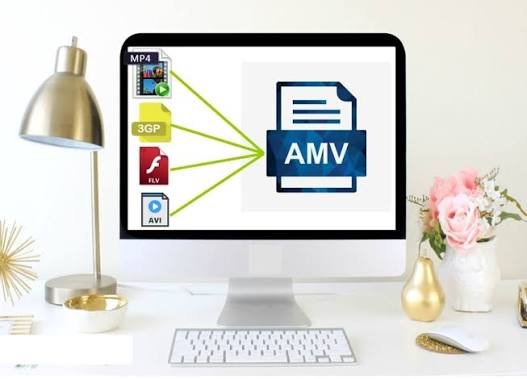
Converting an MP4 video into AMV format can be useful when you need a smaller video file that works with certain portable media players and older devices. While MP4 is one of the most widely supported video formats today, AMV was designed mainly for specific portable media players with limited storage and processing capabilities.
If you are looking for a simple best mp4 to amv conversion method, online video converters can make the process easier without requiring complicated software. In this guide, we will explain what AMV is, why you may want to convert MP4 videos, how the conversion works, and what settings to consider.
What Is AMV Format?
AMV stands for Anime Music Video, although the format itself is primarily associated with portable media players rather than the modern style of fan-made anime videos. AMV files typically use a highly compressed video format designed for devices with limited hardware capabilities.
Compared with modern formats such as MP4, AMV generally provides lower video quality and resolution. However, its smaller file size and compatibility with certain older devices can make it useful in specific situations.
MP4, on the other hand, is a modern multimedia container that can store video, audio, subtitles, and other information. It is supported by smartphones, computers, tablets, smart TVs, and many online platforms.
Why Convert MP4 to AMV?
There are several reasons someone might need to convert an MP4 file into AMV.
The most common reason is device compatibility. Some older portable media players were designed specifically to play AMV files and may not support standard MP4 videos correctly.
Another reason is file size. AMV was designed with limited-capacity devices in mind, so converting a video can produce a much smaller file. This can be useful when storage space is limited.
You may also need AMV format when transferring videos to an older media player, MP3 player, or similar portable device that specifically requires AMV.
However, you should keep in mind that converting to AMV may reduce video quality because the format is optimized for smaller devices rather than high-definition playback.
How Does MP4 to AMV Conversion Work?
The conversion process changes the video from an MP4 container and its associated encoding settings into a format compatible with AMV-supported devices.
A typical conversion process involves these steps:
- Select the MP4 video you want to convert.
- Upload the video to a compatible converter.
- Choose AMV as the output format.
- Adjust video settings if the converter provides customization options.
- Start the conversion.
- Download the converted AMV file.
- Transfer the file to your compatible device and test playback.
The exact process can vary depending on the converter you use, but the basic workflow is usually similar.
Using an Online Video Converter
An online converter can be one of the easiest ways to change an MP4 file into AMV. You don’t necessarily need to install dedicated video-editing software, which makes online tools convenient for occasional conversions.
For example, Lets Convert provides online file conversion tools that can help users handle different media conversion tasks from a web browser.
When using an online converter, you generally upload your MP4 file, select AMV as the target format, and start the conversion. Once processing is complete, you can save the resulting file to your computer.
Online conversion can be especially convenient if you are using a computer that does not have video-conversion software installed.
Choosing the Right Video Settings
Video settings can have a significant effect on the final AMV file. Because AMV-compatible devices can have different screen resolutions and playback requirements, you should check your device’s specifications before converting a video.
Resolution
Older portable media players often use relatively small screen resolutions. Converting a high-resolution MP4 into a resolution that your device supports can help avoid playback problems and unnecessary file sizes.
Frame Rate
The frame rate determines how many frames are displayed every second. A lower frame rate can reduce file size, but extremely low settings may make motion appear less smooth.
Video Quality
Higher quality generally creates a larger file. If your main goal is compatibility and storage efficiency, you may not need the highest available quality.
Audio Settings
Audio compatibility is also important. If your target device has limitations regarding audio codecs or bitrates, choosing compatible audio settings can help prevent playback issues.
MP4 vs AMV
MP4 and AMV serve different purposes.
MP4 is the better choice for most modern devices and platforms because it offers broad compatibility and can provide high-quality video at relatively efficient file sizes.
AMV is more specialized and is mainly useful when you have a device that specifically supports or requires the format.
For example, if you want to watch a video on a smartphone, laptop, modern TV, or upload it to an online platform, MP4 will usually be more practical. If you have an older portable media player that requires AMV, conversion may be necessary.
Common Problems After Conversion
Sometimes an AMV file may not play correctly after conversion. This can happen because different devices support different resolutions, frame rates, codecs, or audio configurations.
If the converted file does not work, check the device’s manual or specifications and try converting the video again using compatible settings.
Another potential issue is poor video quality. If the original MP4 has a high resolution but the AMV conversion requires a much smaller resolution, some detail may be lost during the conversion process.
You should also make sure the original MP4 file plays correctly before converting it. If the source file is damaged, the conversion may not produce a usable result.
Is Online MP4 to AMV Conversion Safe?
When using an online converter, consider the type of video you are uploading. Avoid uploading private, confidential, or sensitive videos to services you do not trust.
For personal or non-sensitive videos, an online converter can be a convenient option. Before using any service, review its file-handling and privacy information and make sure you understand how uploaded files are processed.
Final Thoughts
Converting MP4 videos to AMV can be useful when you need compatibility with an older portable media player or another device that specifically supports the AMV format. Although MP4 is much more common today, AMV still has a practical purpose for certain legacy devices.
The easiest approach is usually to upload your MP4 file to an online converter, select AMV, choose settings supported by your device, and start the conversion. Lets Convert can also be considered when you need an online solution for video and file conversion.
Before converting, always check the specifications of your target device. Using the correct resolution, frame rate, and audio settings can make the difference between a file that plays properly and one that does not.